
Apple’s Reminders widget used to show your to-dos and open Reminders when you tapped it. Now a tap ticks a to-do off, which is easy to do by accident. OG Widget for Reminders brings back the old behaviour: tap anywhere and Reminders opens.
What it does
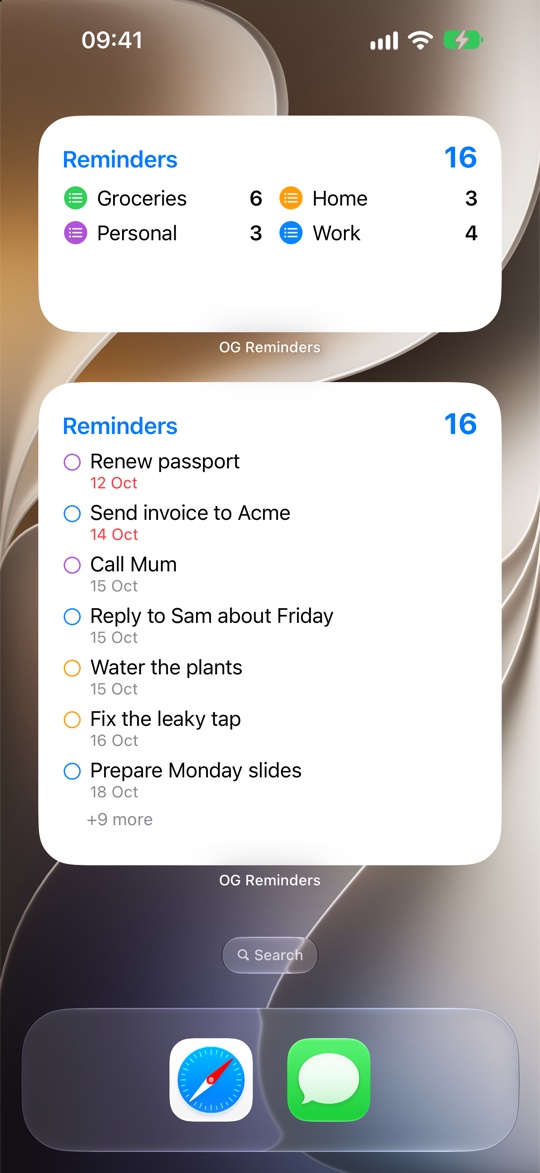
- Shows a list of your to-dos, with due dates and overdue ones in red
- Or a total count, or a count for each list. Tap a list to jump to it in Reminders
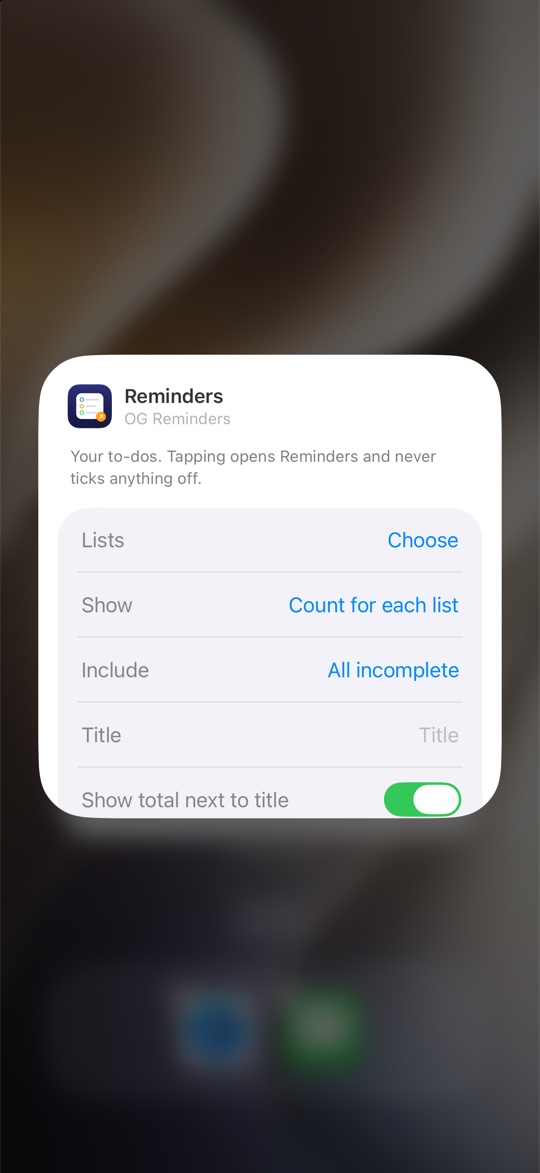
- Pick one list, several or all, and show everything, just today and overdue, or only to-dos with a date
- Your own title, and lists sorted by name, by number of to-dos, or in your own order
- Small, medium and large Home Screen widgets, plus Lock Screen widgets
Private by design
Your reminders never leave your iPhone. The app has no account, no analytics and no ads, and it makes no network connections. It only reads your reminders and never changes them. See the privacy statement.
Help
How do I add the widget?
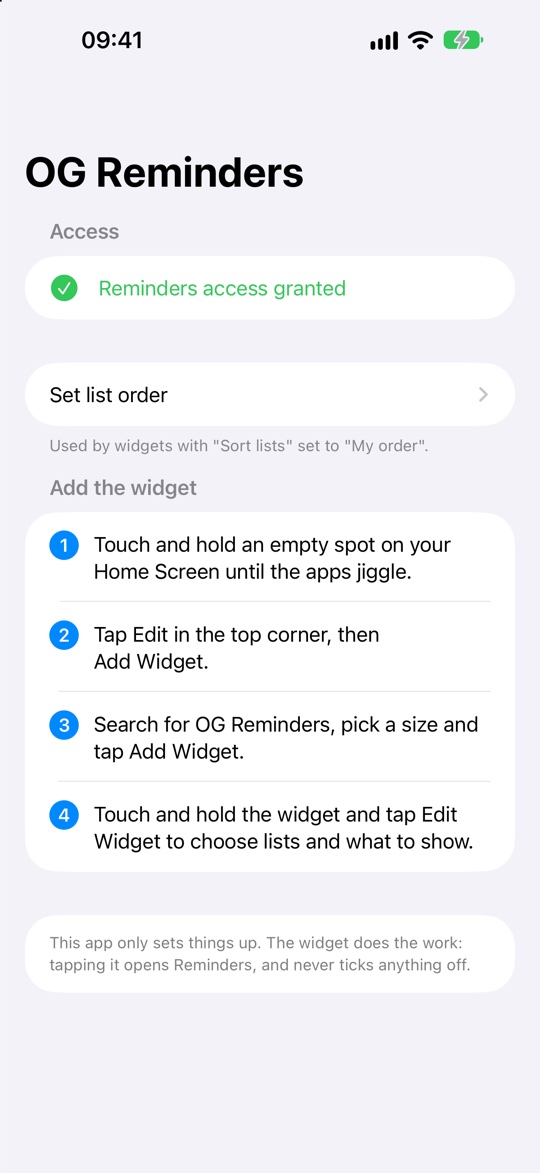
Touch and hold an empty spot on your Home Screen, tap Edit, then Add Widget. Search for OG Reminders, choose a size and tap Add Widget. Then touch and hold the widget and tap Edit Widget to choose your lists and what to show.
Why does the app appear for a moment when I tap the widget?
iOS only lets a widget open its own app. So a tap opens OG Reminders, which immediately hands you over to Reminders.
Tapping a list opens one of its to-dos. Why?
Reminders doesn’t let other apps link straight to a list. Instead, the widget opens the first to-do in that list, and Reminders shows it inside the list. An empty list opens Reminders’ main screen.
The widget isn’t showing my reminders
Open OG Reminders and check it has access to Reminders. If access was turned off, turn it back on in Settings › Privacy & Security › Reminders. Widgets refresh about every 15 minutes; opening the app refreshes them straight away.
Something else?
Email [email protected] and we’ll help.
OG Widget for Reminders isn’t affiliated with Apple. Reminders is an Apple app.